Closing the Loop — All 6 Steps
← Go step by step
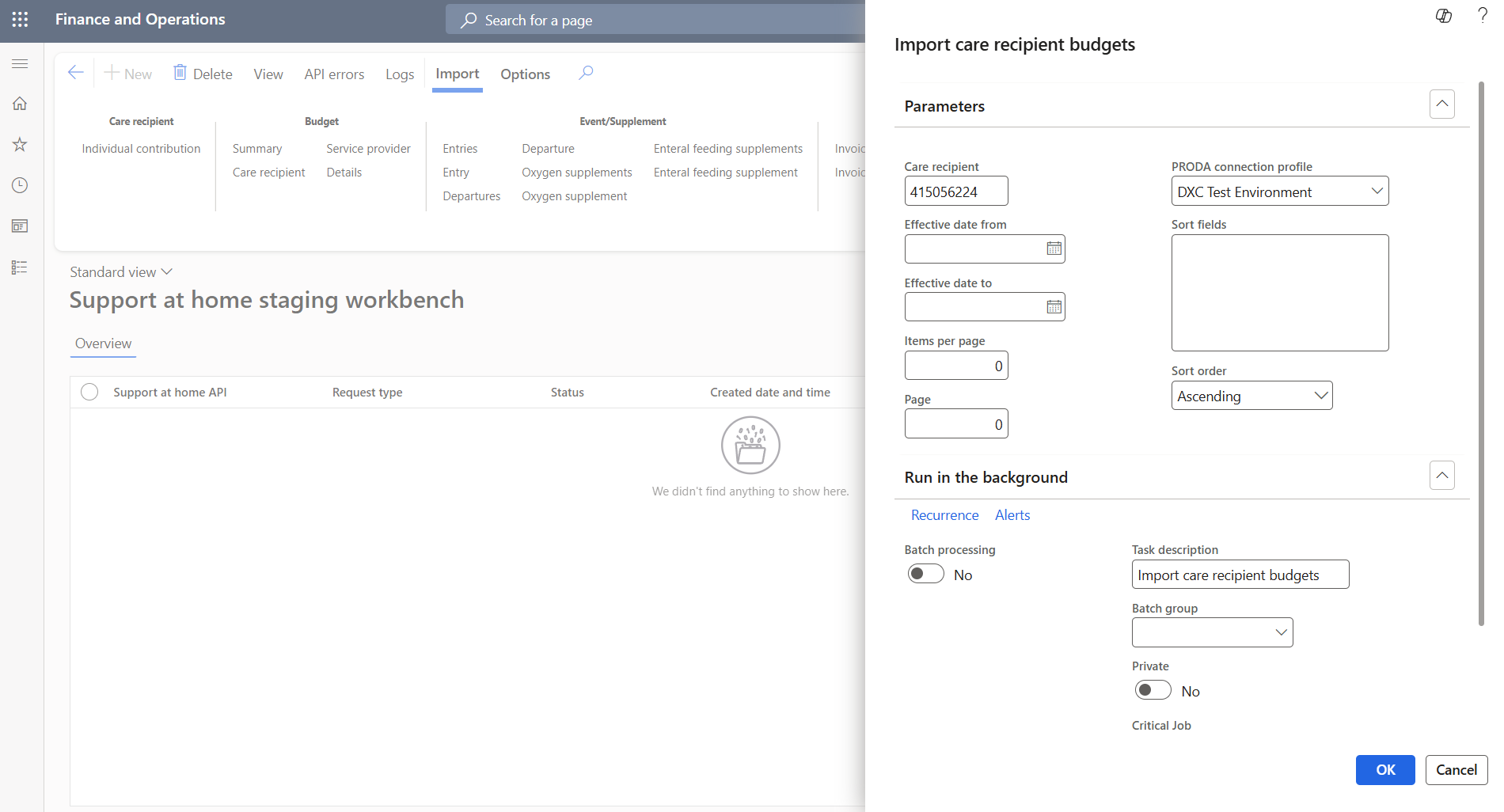
Step 1 — Re-run the care recipient budget import
Import → Budget → Care recipient. Same care recipient, checking for the updated balance.
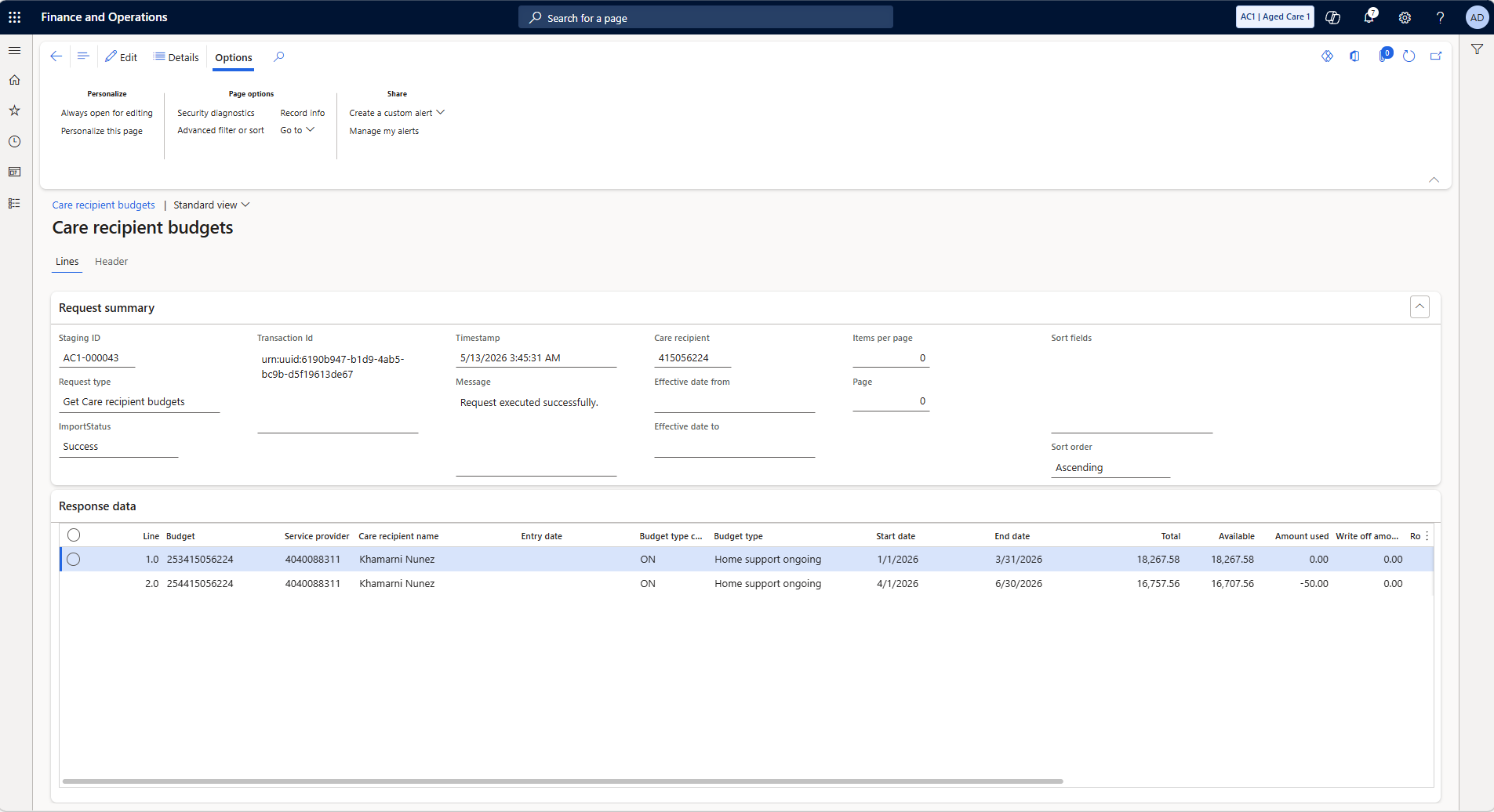
Step 2 — Updated budget balance
The available balance is now lower, amount used has increased to reflect the new claim.
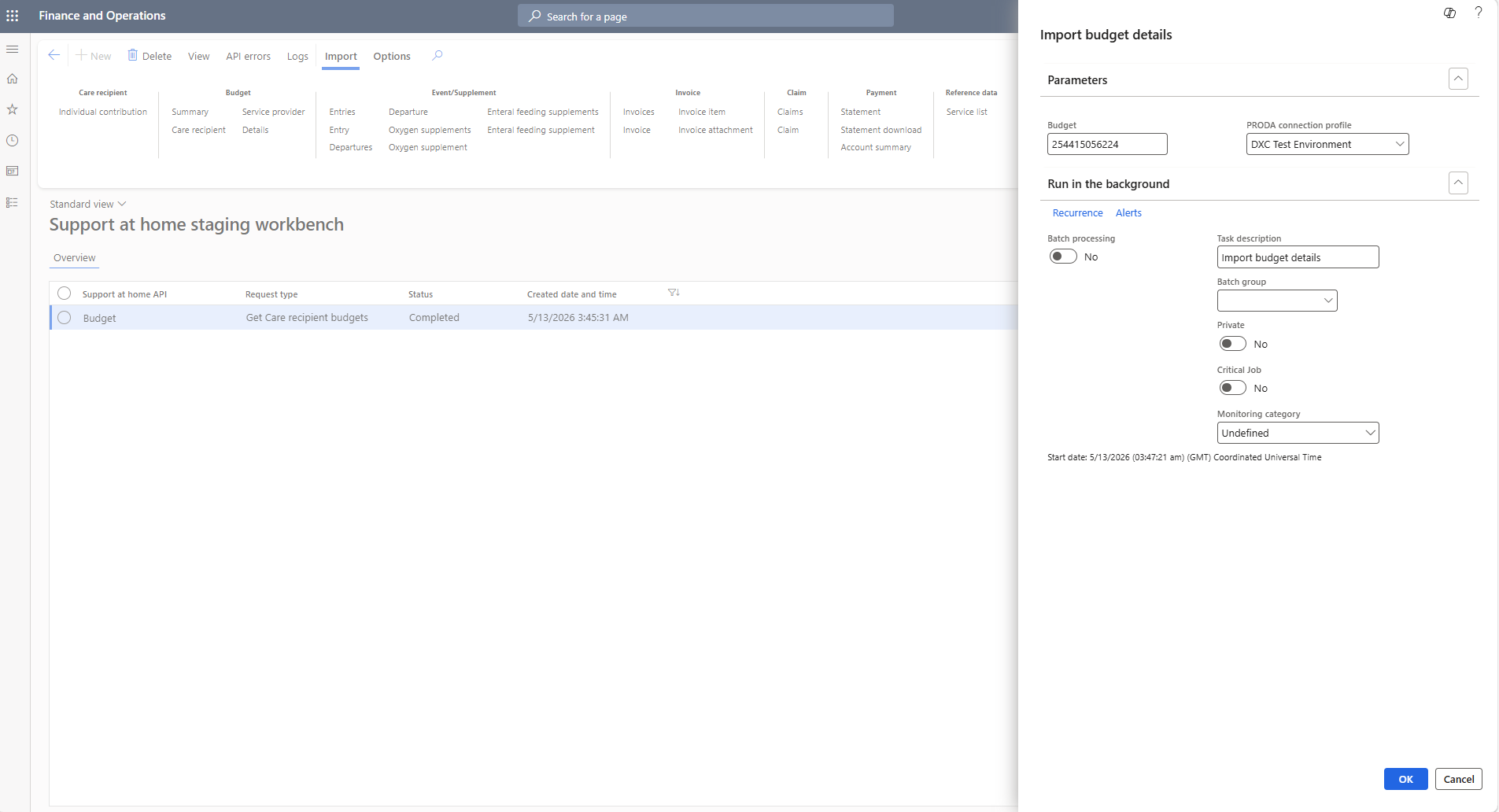
Step 3 — Re-run the budget details import
Import → Budget → Details. Same budget ID — now you can see the new invoice in the usage section.
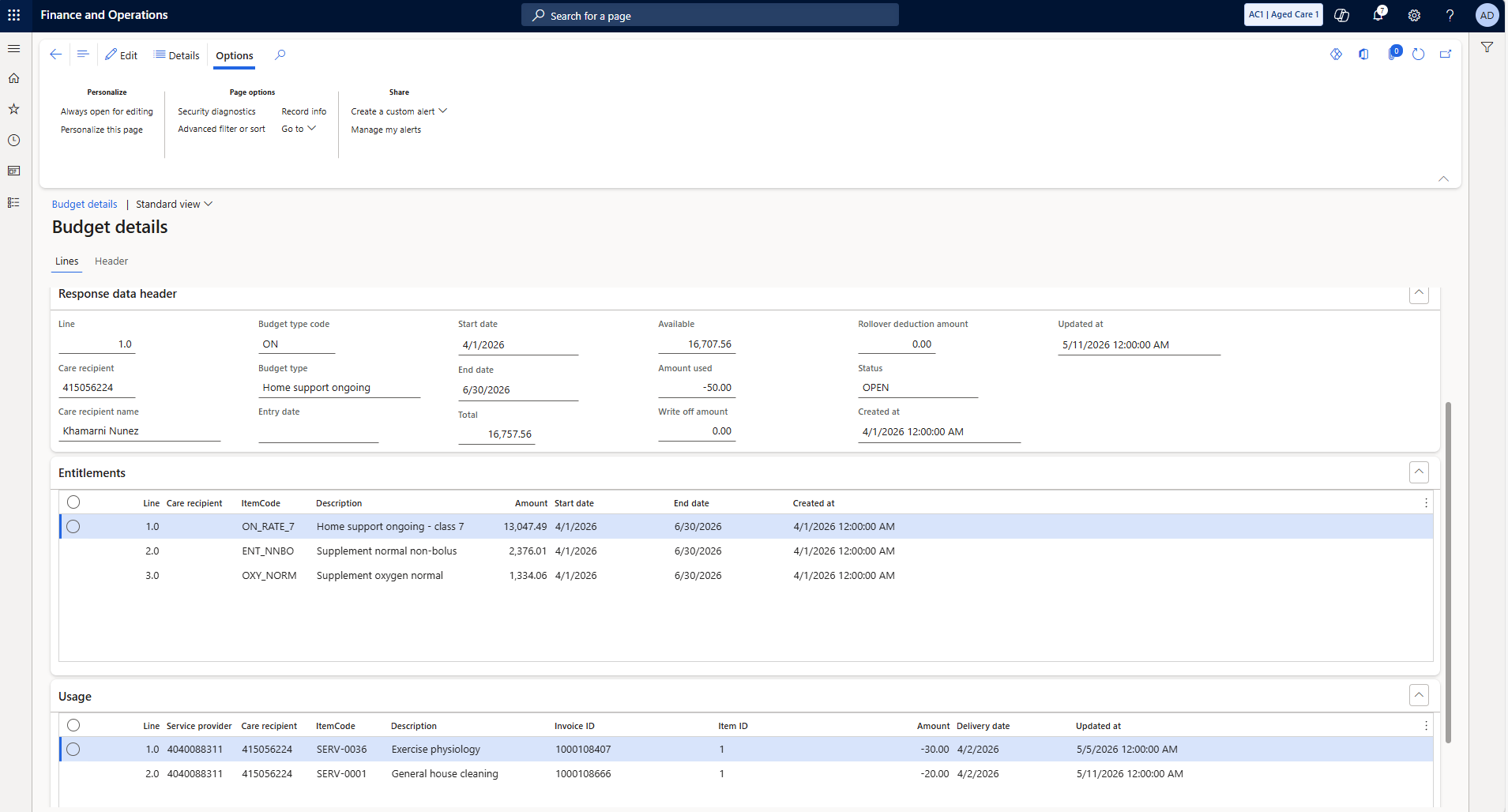
Step 4 — New invoice visible in usage lines
Your new invoice now appears alongside prior ones. Usage total matches the updated amount used.
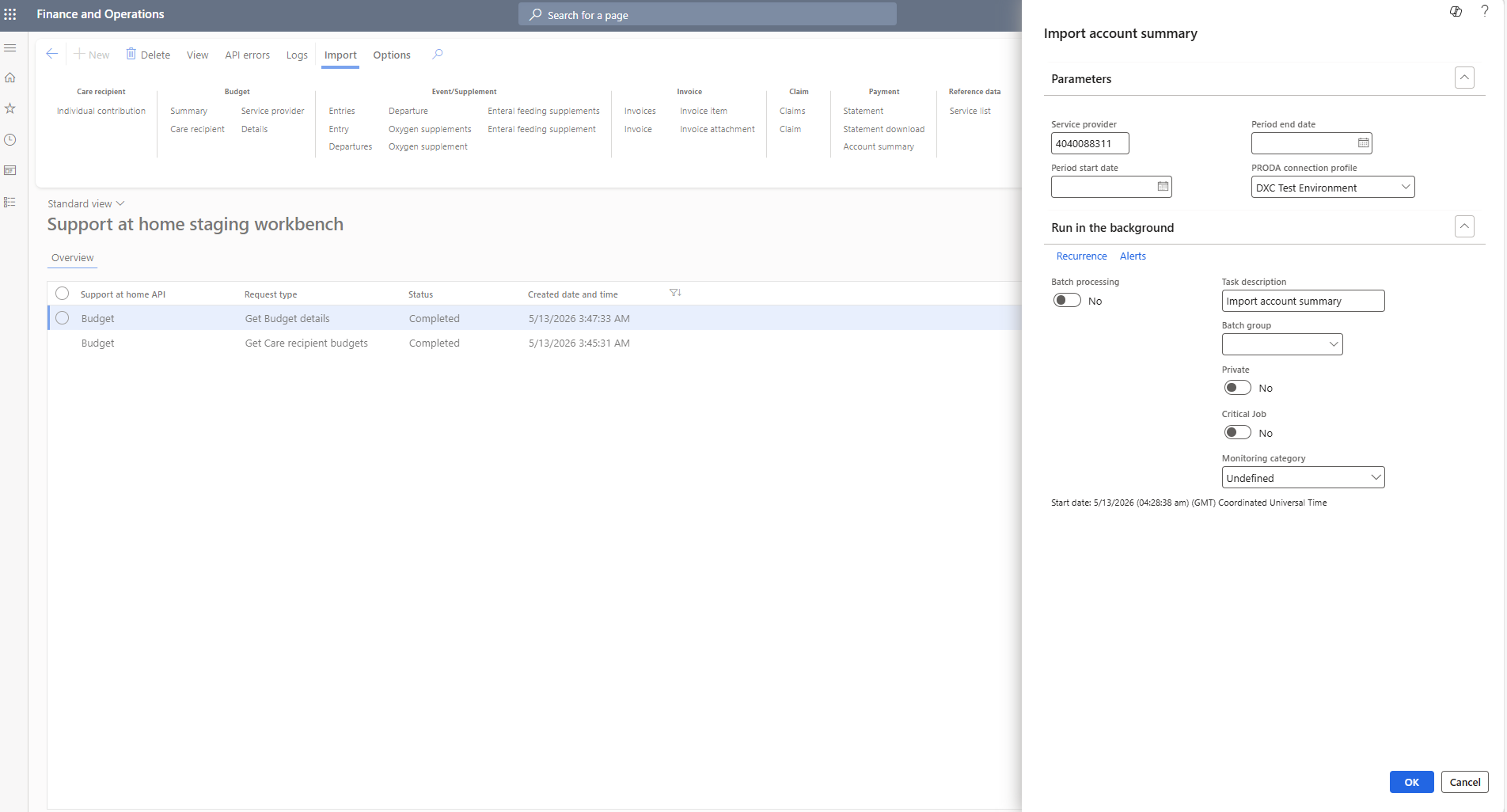
Step 5 — Re-run the account summary
Import → Payment → Account summary. Provider-level confirmation the payment is reflected.
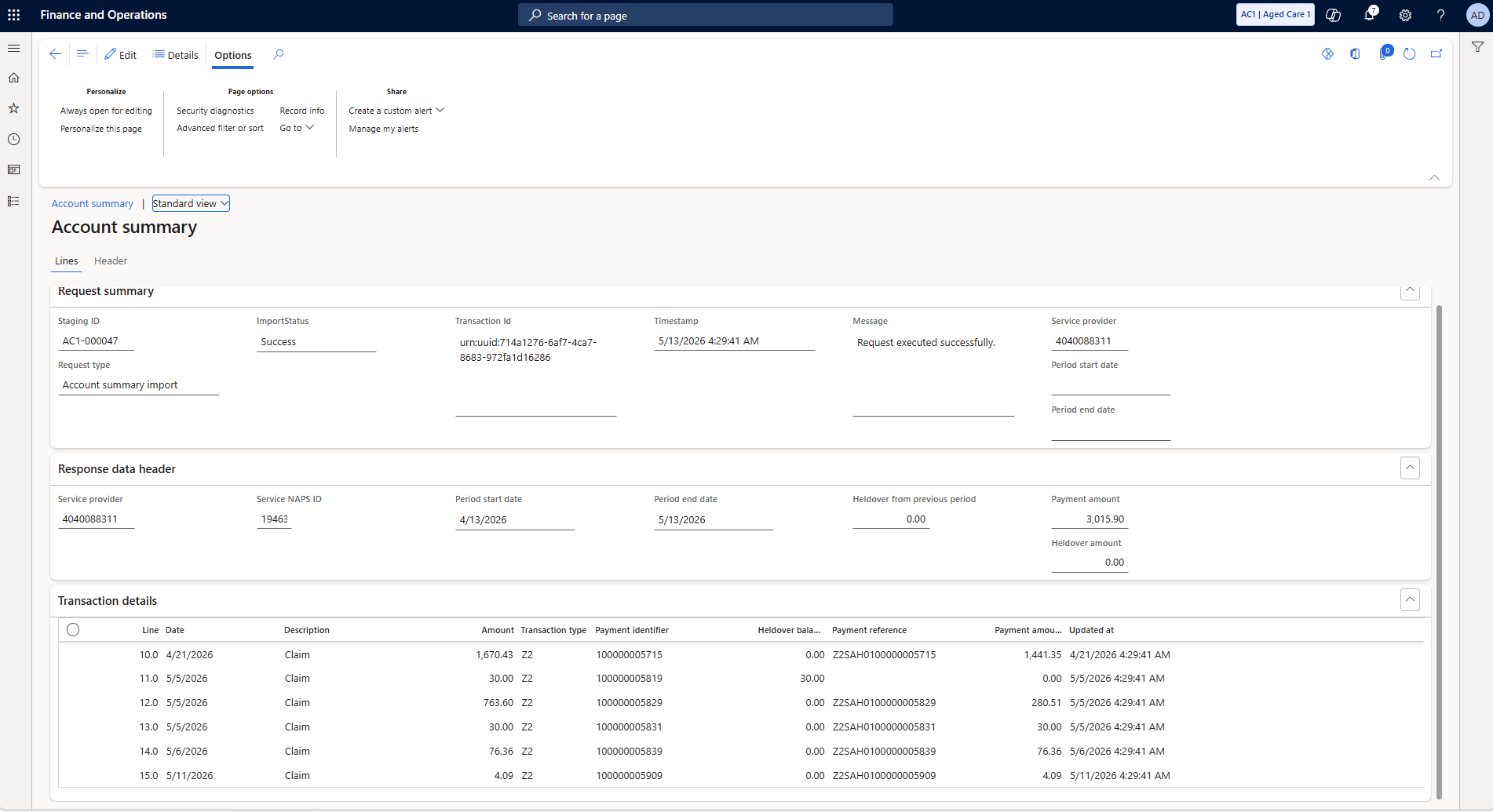
Step 6 — Payment confirmed in account
The new claim and payment appear in the transaction list. The cycle is closed.
↑ Back to Support at Home overview
