10.0.29.20221019
This document describes the features that are either new or changed in the release version 10.0.29.20221019.
Release 10.0.29.20221019 & 10.0.27.20221019
Build 10.0.29.202210192
Release date: 24/10/2022
New features
| Number |
Functionality |
Description |
| 11598 |
Reconciliation matching rules |
Ability to set Field format for Offset account bank statement field and Settle transaction bank statement field. This assists in obtaining the D365 customer account and Invoice number from bank statement fields for creating the customer payment journal.
For setup information and examples click here
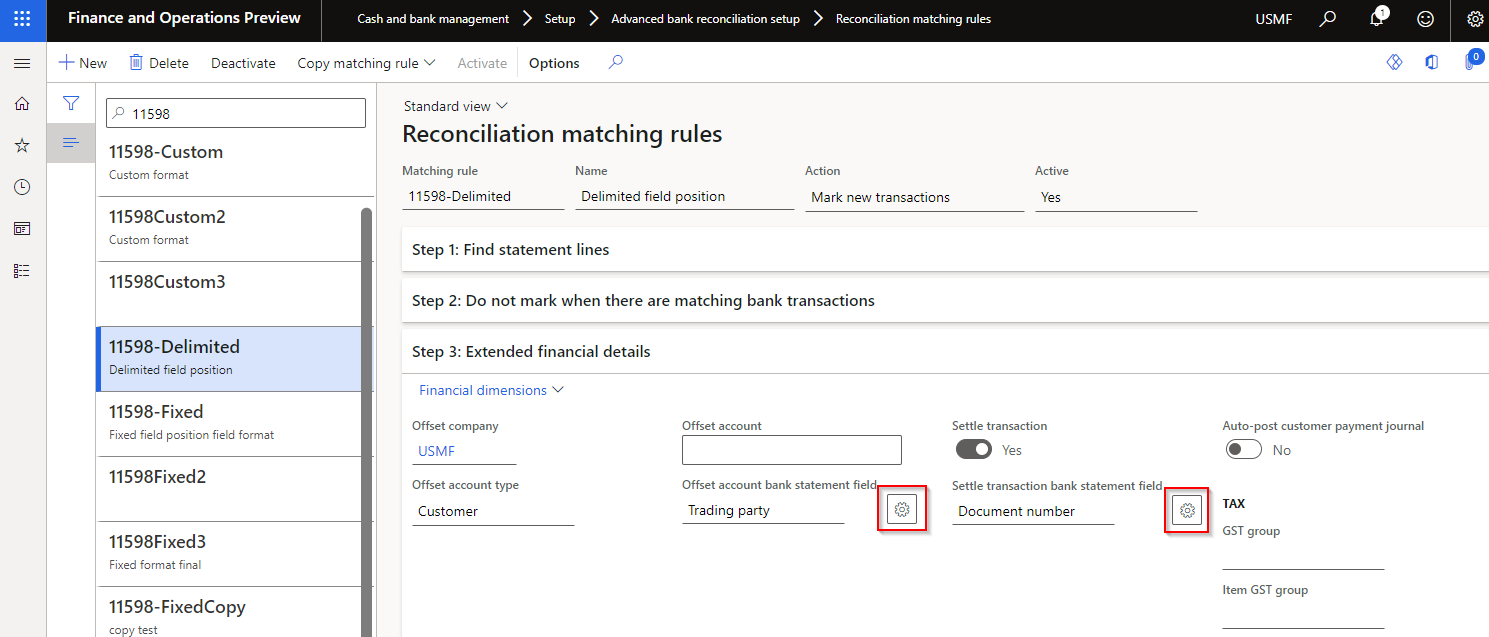
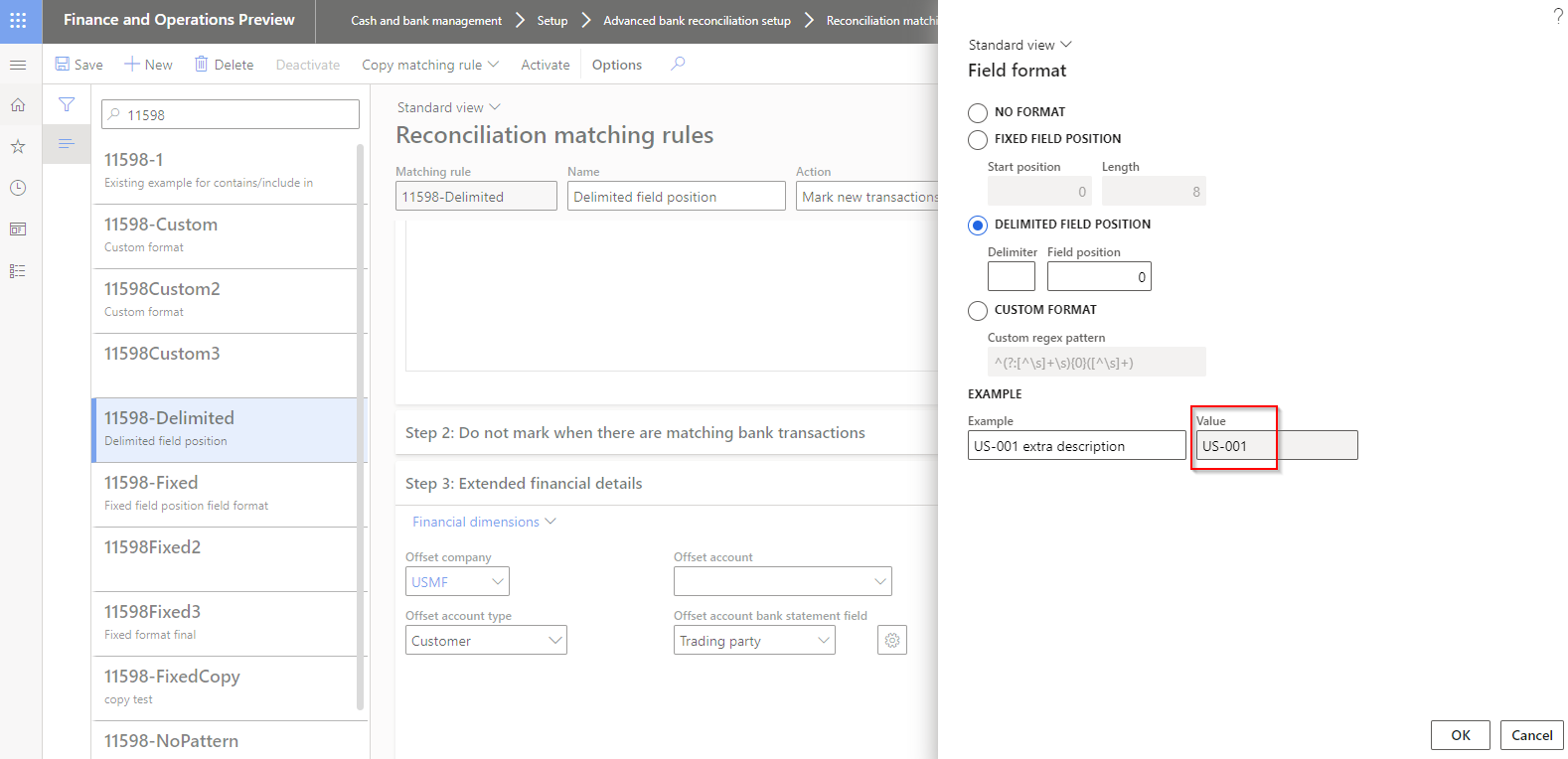 |
Bug fixes
| Number |
Functionality |
Description |
| 11623 |
Customer bank account entity |
Related to version 10.0.27.202209162.
Error when importing data entity Customer bank accounts: Field ‘Reference’ must be filled in’ |
| 11632 |
Security |
Related to version 10.0.27.202209162.
Fixed security on Proposed changes for Customer approval.
New privilege DFUCustChangeProposal added to following duties:
• Approve customer change proposals
• Maintain customer master |
Build 10.0.27.202210191
Release date: 19/10/2022
DXC Finance Utilities 10.0.27 runs on the following Microsoft releases
Same as 10.0.29.202210191 version, but excludes change that isn’t backwards compatible for D365 versions earlier than 10.0.29:
| Number |
Functionality |
Description |
| 11568 |
Bank statement periodic import |
Due to a change in MS code in 10.0.29.
Periodic import created the Bank statement(s), but:
• File was moved to Error folder (instead of Archive folder)
• Document not attached to Bank statement(s)
• ‘Imported via financial connection’ not set to Yes.
Also fixes issue for ‘Reconcile after import’ (manual import and via periodic import) |
