10.0.37.20240325
This document describes the features that are either new or changed in the release version 10.0.37.20240325.
Release 10.0.37.20240325
Build 10.0.37.2024032531
Release date: 16 May 2024
New features
| Number |
Module |
Functionality |
Description |
| 17524 |
Various |
SFTP connection |
Upgrade SFTP SSH.NET to latest 2024.0.0 release. Applicable to:
• Cash and bank management > Setup > Advanced bank reconciliation setup > Financial utilities connections
• Accounts receivable > Payments setup > Financial utilities connections (AR utilities feature)
• Organization administration > Electronic reporting > Electronic reporting export connections |
Bug fixes
| Number |
Module |
Functionality |
Description |
| 17966 |
Accounts receivable |
Generate payments |
Fix for error ‘Root element is missing’, when generating a payment using a non ER Export format. |
Build 10.0.37.2024032522
Release date: 26 April 2024
New features
| Number |
Module |
Functionality |
Description |
| 17385 |
Cash and bank management |
Reconciliation matching rule |
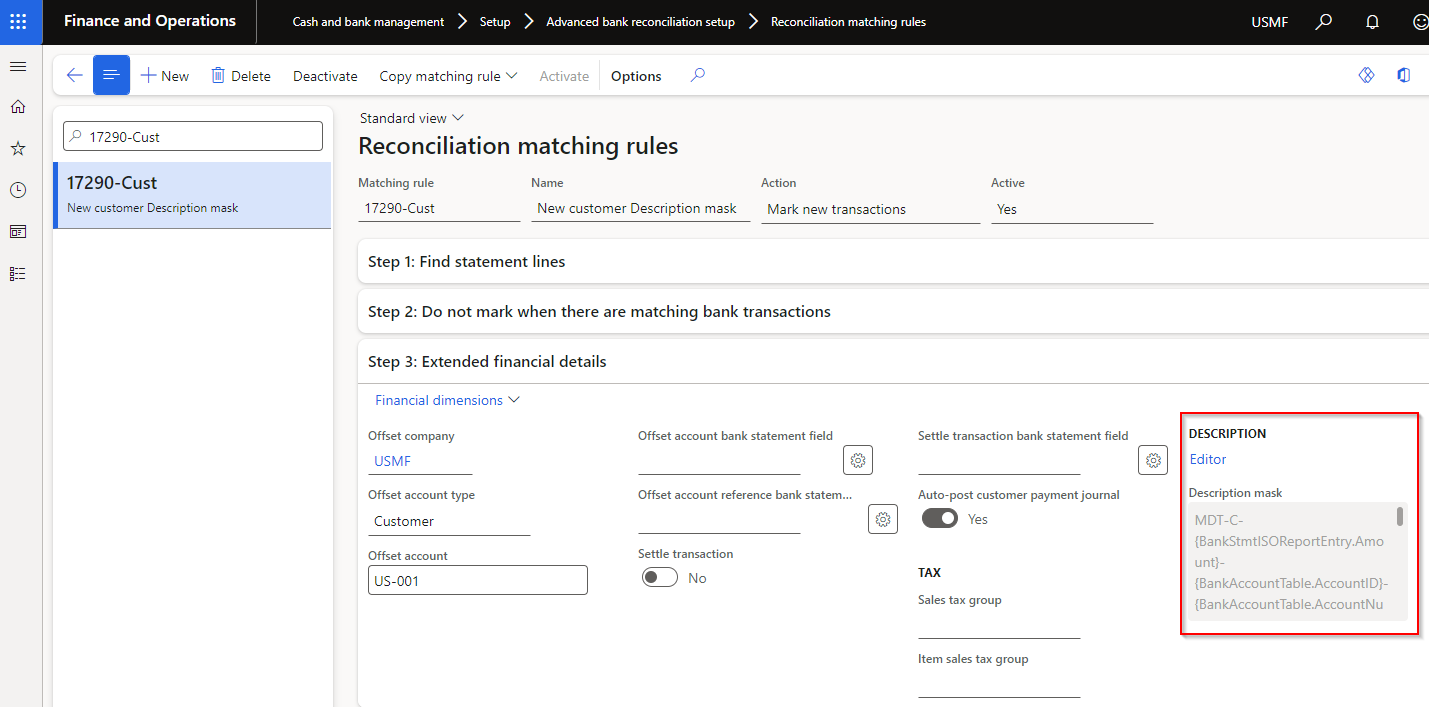
Ability to set a Description mask for Mark new transactions for offset types Ledger, Vendor and Bank.
Related to 17290 that added this functionality for offset type Customer.
Editor provides the ability to set a combination of static fields and placeholders:
• Currency
• Description
• Amount
• Document number
• Entry reference
• Bank statement transaction code
• Reference No.
• Related bank account
• Name (Trading party)
• Bank account
• Bank account number
• Bank groups
Note: If File name mask is not populated, the Bank statement line’s Description will be written to new transaction’s Description.
 |
| 17724 |
Licensing |
N/A |
Improvements to licensing - see Licensing release notes for detailed information. |
Bug fixes
| Number |
Module |
Functionality |
Description |
| 17633 |
Accounts receivable |
Interest notes - Due date |
When AR parameter setting ‘Use Customer payment terms’ was set to Yes, it resulted in incorrect due dates for Free text invoices.
Only relevant to release 10.0.36.202403251 |
| 17448 |
Accounts payable |
Method of payment - EFT file name Placeholders |
Editor Placeholder picker displayed Bank statement fields added for Reconciliation matching rule’s Description mask.
Only relevant to release 10.0.36.202403251 |
| 17479 |
Accounts receivable |
Method of payment - EFT file name Placeholders |
Editor Placeholder picker displayed Vendor’s Method of payment and Description. Updated to use Customer for these two fields.
Only relevant to release 10.0.36.202403251 |
Build 10.0.36.202403251
Release date: 25 March 2024
New features
| Number |
Module |
Functionality |
Description |
| 17092 |
Accounts payable
Accounts receivable |
ABN and GST validation |
Only applicable to Australia and only visible where ABN validation is enabled for the Legal entity
• New fields added to TaxVatNumTable:
- Status: ABN status for example Active or Cancelled
- Entity type: Entity type for the ABN, for example ‘Australian Private Company’
- GST from: Populated where the ABN is registered for GST _
- GST to: Populated where the ABN is registered for GST _
- GST registered: Set to Yes where ‘GST to’ date is in the future _

_ The three new GST fields have also been added to the ABN status dialog.
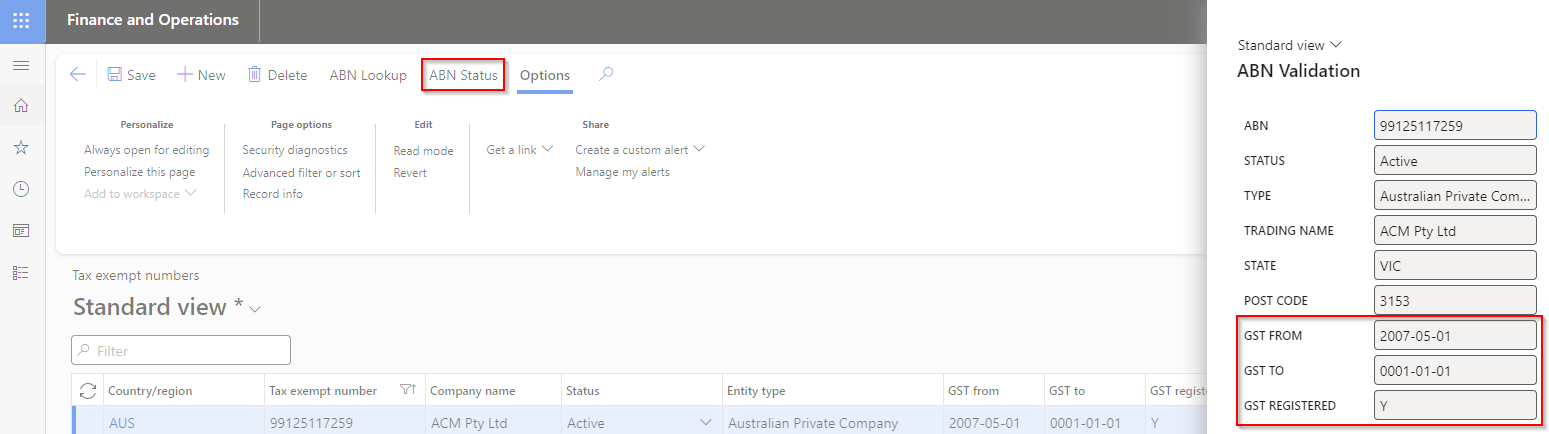
Above new fields are updated to current government data when running either:
• Update ABN validation periodic task
• Run update on ABN validation review form
• When adding new records via ABN lookup
User guide |
17159
17233 |
Accounts payable
Accounts receivable |
ABN validation |
Only applicable to Australia and only visible where ABN validation is enabled for the Legal entity
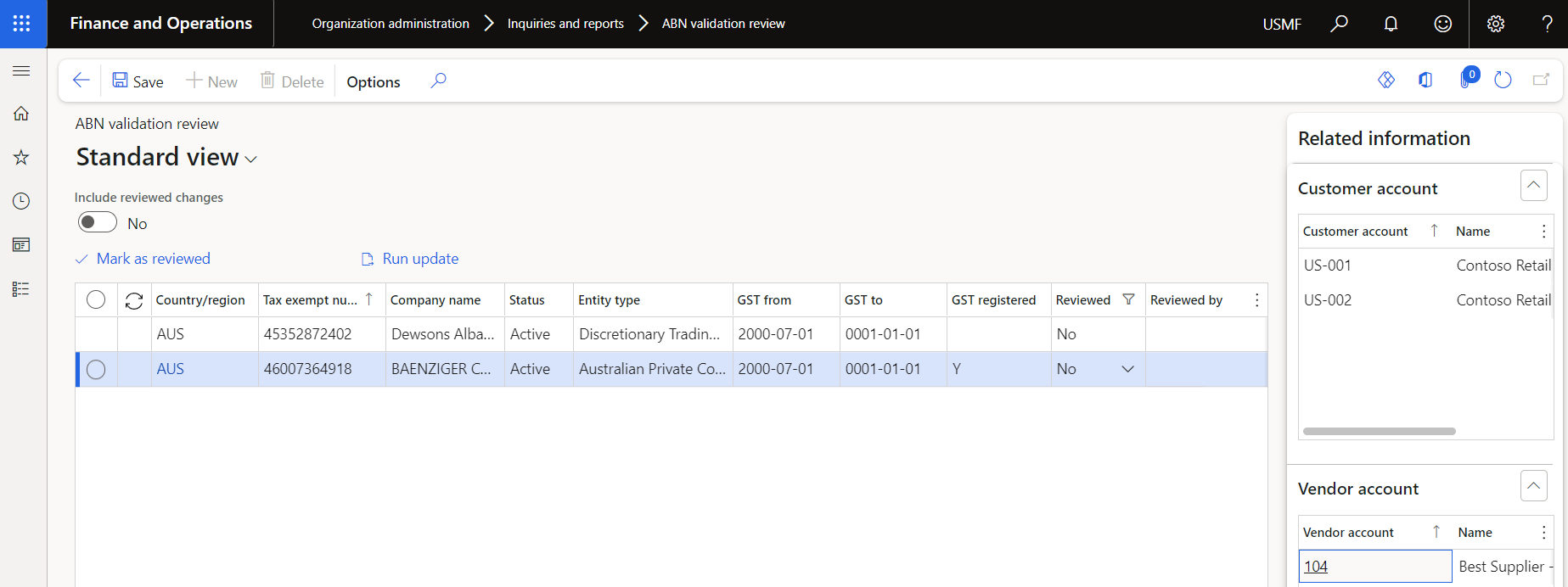
New form ABN validation review for users to review new/updated ABN records. For example an ABN is not registered for GST anymore.
Select applicable record(s) and select Mark as reviewed to update their reviewed status.
Run update can be used to run the web service to update ABNs with current data from the Australian Business Register.
Update can also be run via ‘Organization administration > Periodic > Update ABN validation
 |
| 17286 |
Accounts payable |
ABN validation |
Only applicable to Australia and only visible where ABN validation is enabled for the Legal entity
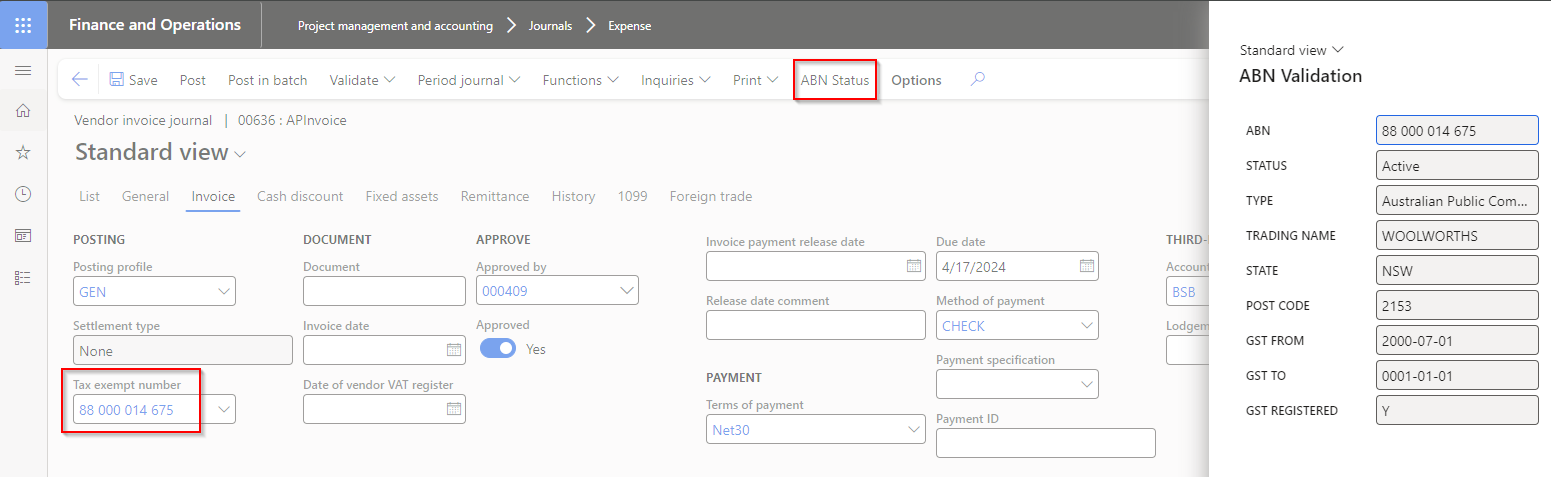
Ability for users to check the current ABN and GST status for a vendor while entering an invoice.
ABN status button is enabled when the ‘Tax exempt number’/’ABN’ is populated for the vendor invoice line.
 |
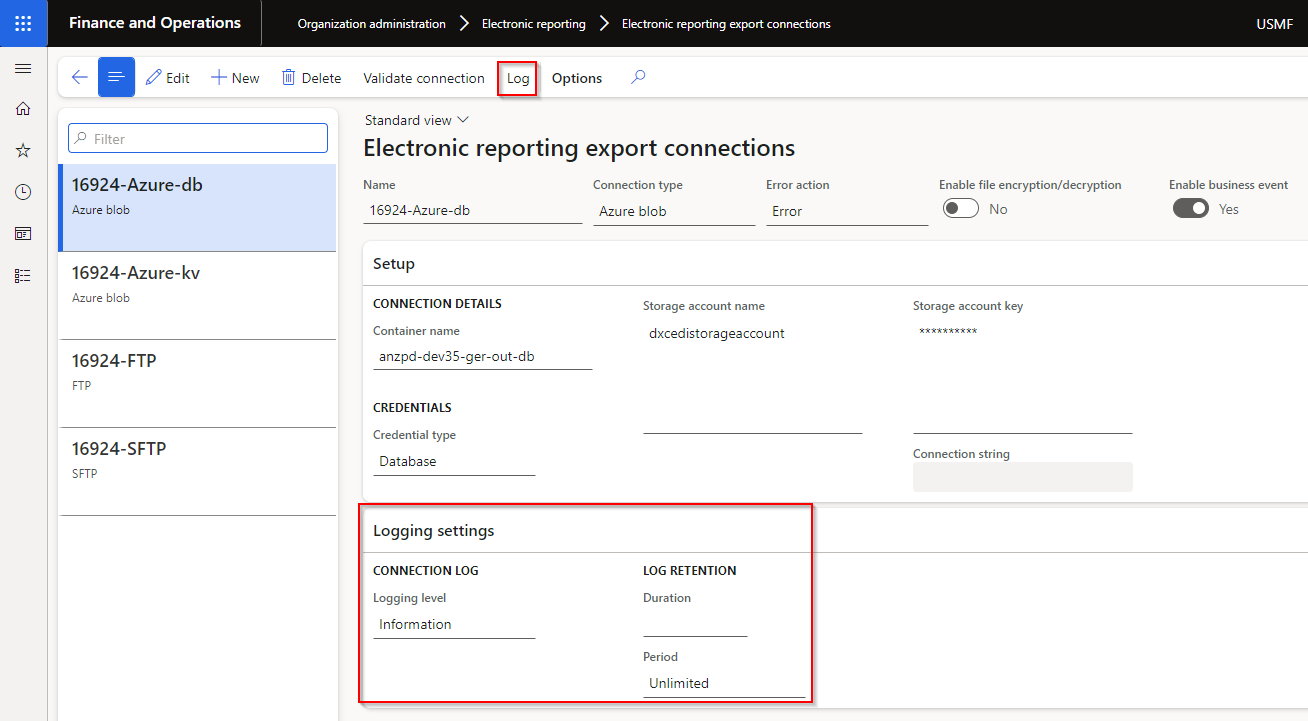
| 16924 |
Organisation administration |
Electronic reporting export connections |
Log functionality added
 |
| 17248 |
Cash and bank management
Organisation administration |
• Financial utilities connections
• Electronic reporting export connections |
New Connection type option API Endpoint.
Can thus now import bank statements as an inbound web service or export ER files as an outbound web service.
Also works with Azure function.
Import user guide
Export user guide
Web API Endpoint Technical guide |
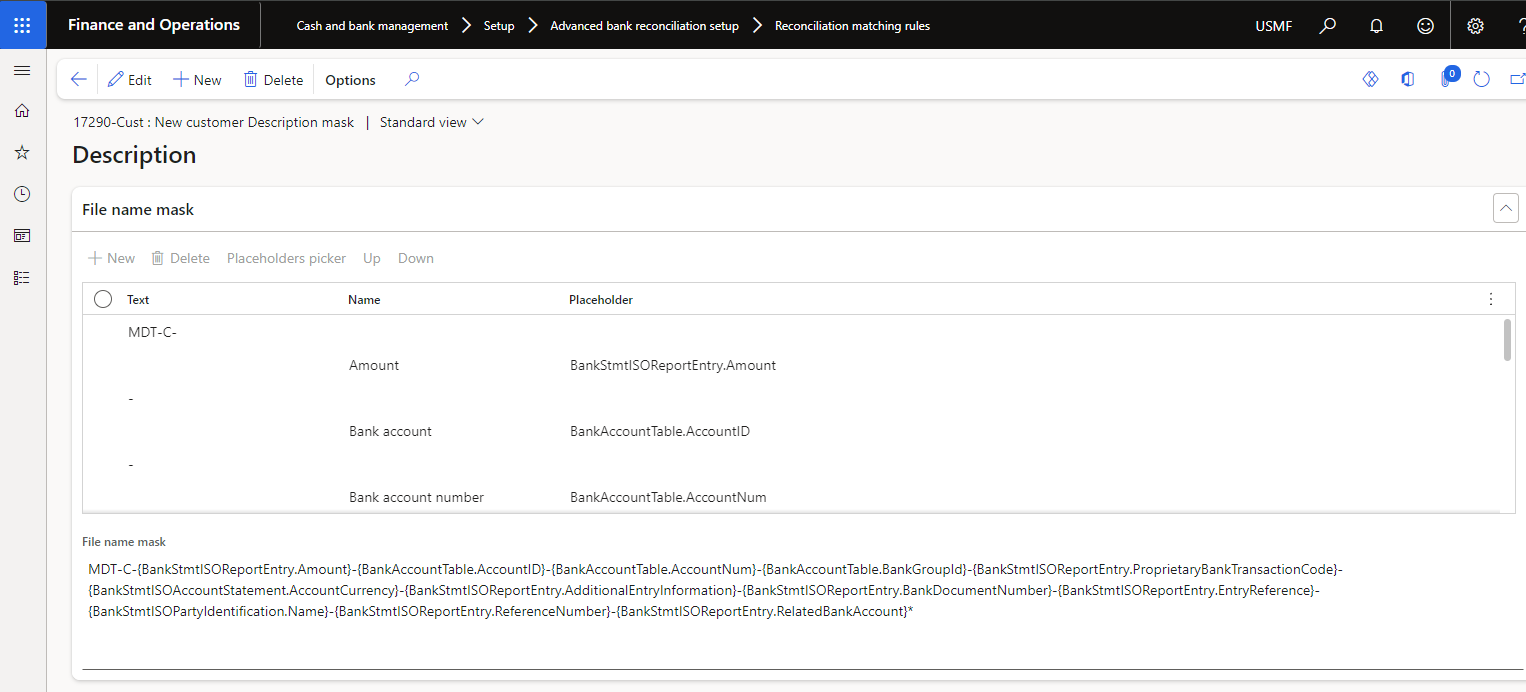
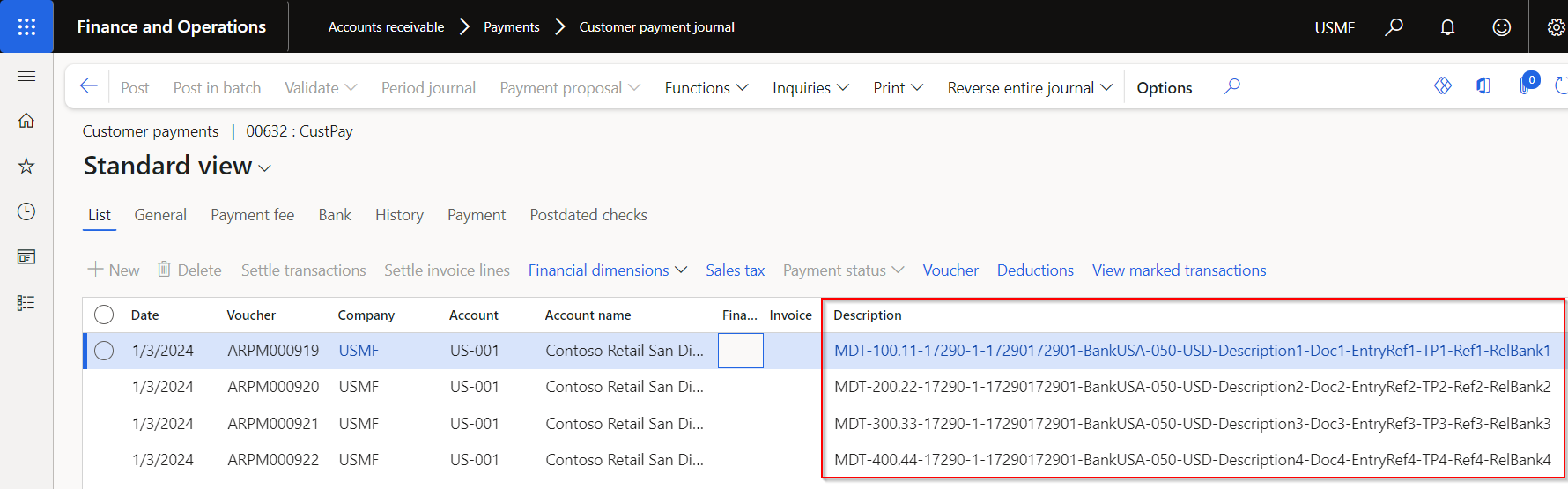
| 17290 |
Cash and bank management |
Reconciliation matching rule |
Ability to set a Description mask for Mark new transactions.
This release includes only Customer offset types. Roadmap: include the other offset types Vendor, Bank and Ledger.
Editor provides the ability to set a combination of static fields and placeholders:
• Currency
• Description
• Amount
• Document number
• Entry reference
• Bank statement transaction code
• Reference No.
• Related bank account
• Name (Trading party)
• Bank account
• Bank account number
• Bank groups
Note: If File name mask is not populated, the Bank statement line’s Description will be written to new transaction’s Description.
 |
| 16827 |
Accounts receivable |
EFT file name on Method of payment |
Ability to set EFT file name for Customer payment files (direct debits) on the Method of payment.
User guide |
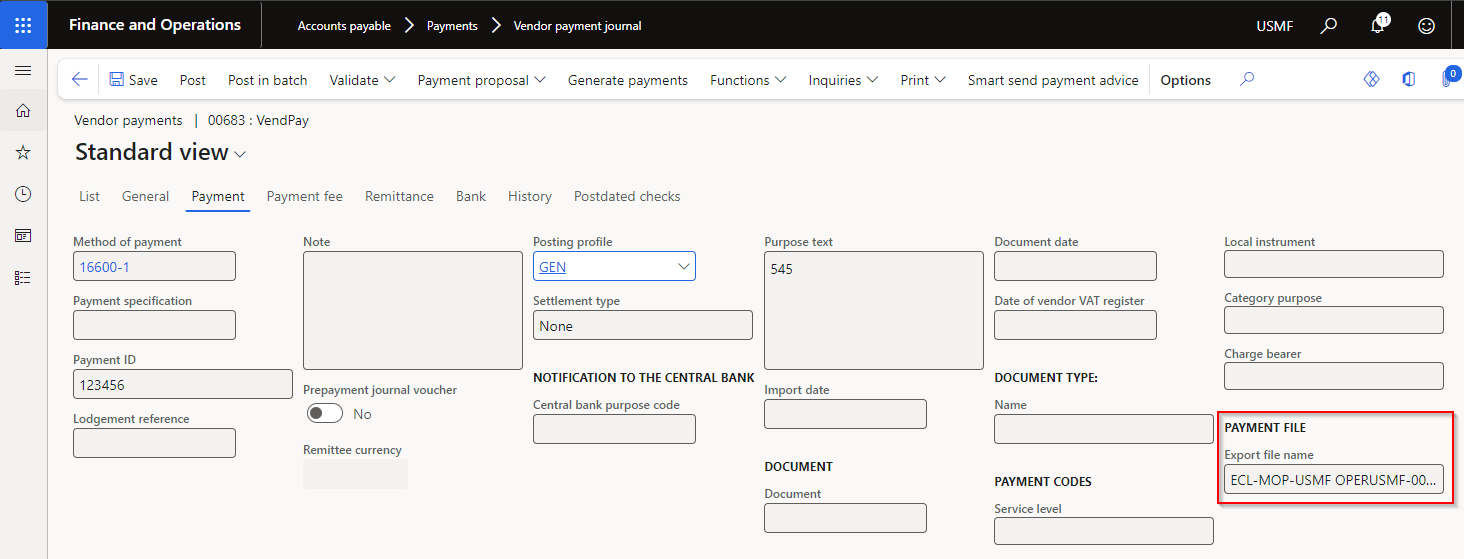
| 16600 |
Accounts payable |
Vendor payment journal |
When the vendor payment is generated, the Export file name displayed on the Generate payments dialog is written to the relevant vendor payment journal lines’ new field called Export file name.
Note: This does not yet include file names generated by Electronic reporting config.
 |
| 17422 |
N/A |
N/A |
Update to Table groups to support “transaction” types being truncated in copy environment feature via Power platform admin center. |
Bug fixes
| Number |
Module |
Functionality |
Description |
| 16997 |
Accounts payable |
EFT file name editor on Method of payment |
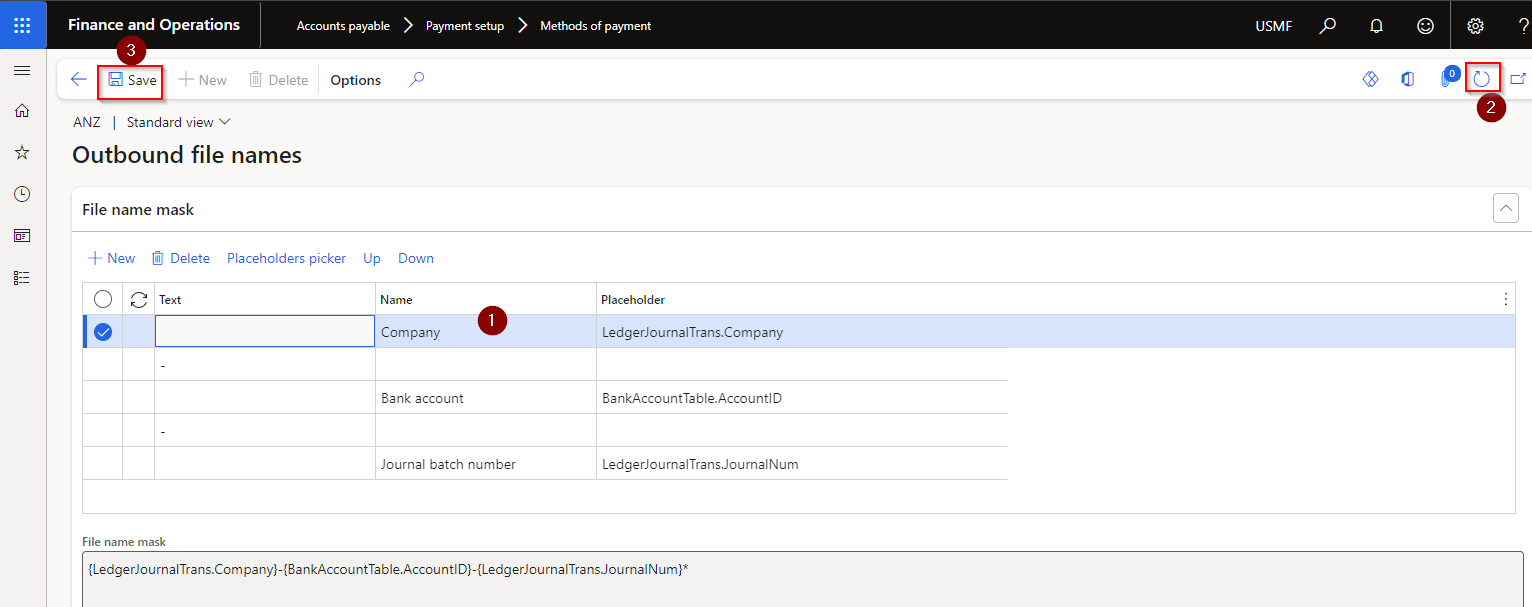
Refresh required to save updates to the file name using Editor
 |
| 16827 |
Accounts receivable |
EFT file name on Method of payment |
If the same payment method PaymMode exists in the Accounts payable (AP) module, the EFT file name setup from the AP method of payment was used |
| 17063 |
Accounts receivable |
Interest notes - Due date |
Due date now updated before the transaction records are created.
Resolves error: “Cannot edit a record in Customer transactions (CustTrans). An update conflict occurred due to another user process deleting the record or changing one or more fields in the record.” |
| 17119 |
Accounts payable
Accounts receivable |
ABN lookup |
Fix to ‘Company name’ in Search results |
| 16925 |
Organisation administration |
Electronic reporting jobs |
When using an Electronic reporting destination with document type in conjunction with Electronic reporting export connection, the record created in the Electronic reporting jobs will now also contain:
• Document handling attachment - ensure your file extension is added to supported File types in Document management parameters
• Field ‘Files’ populated with the file name. |
| 17012 |
Cash and bank management |
Reverse mark as new transaction |
Support added for reversing mark as new transactions offsetting to vendor, bank or customer within the same legal entity.
15693 resulted on an incorrect sign on the reverse transaction on the bank, vendor and customer
Supports features:
• Enable bank reconciliation reversal even new transactions exist in posted bank statement
• Reverse posted bank statement with new transactions
|
| 17126 |
Cash and bank management |
Reconciliation matching rule |
When used to create automatically posted Customer dishonour payments, the automatically matching in the Bank reconciliation failed. |
| 17437 |
Cash and bank management |
Bank statement periodic import |
Archive issue when connection has high latency. File deleted before it could copy to Archive. Change: Before delete the result of copy is awaited and retried for 1 seconds 3 times before marking as an exception. |
